Structured Output Parsing That Doesn't Break
Getting an LLM to return JSON is easy, Getting it to return JSON that your application can safely depend on is harder.
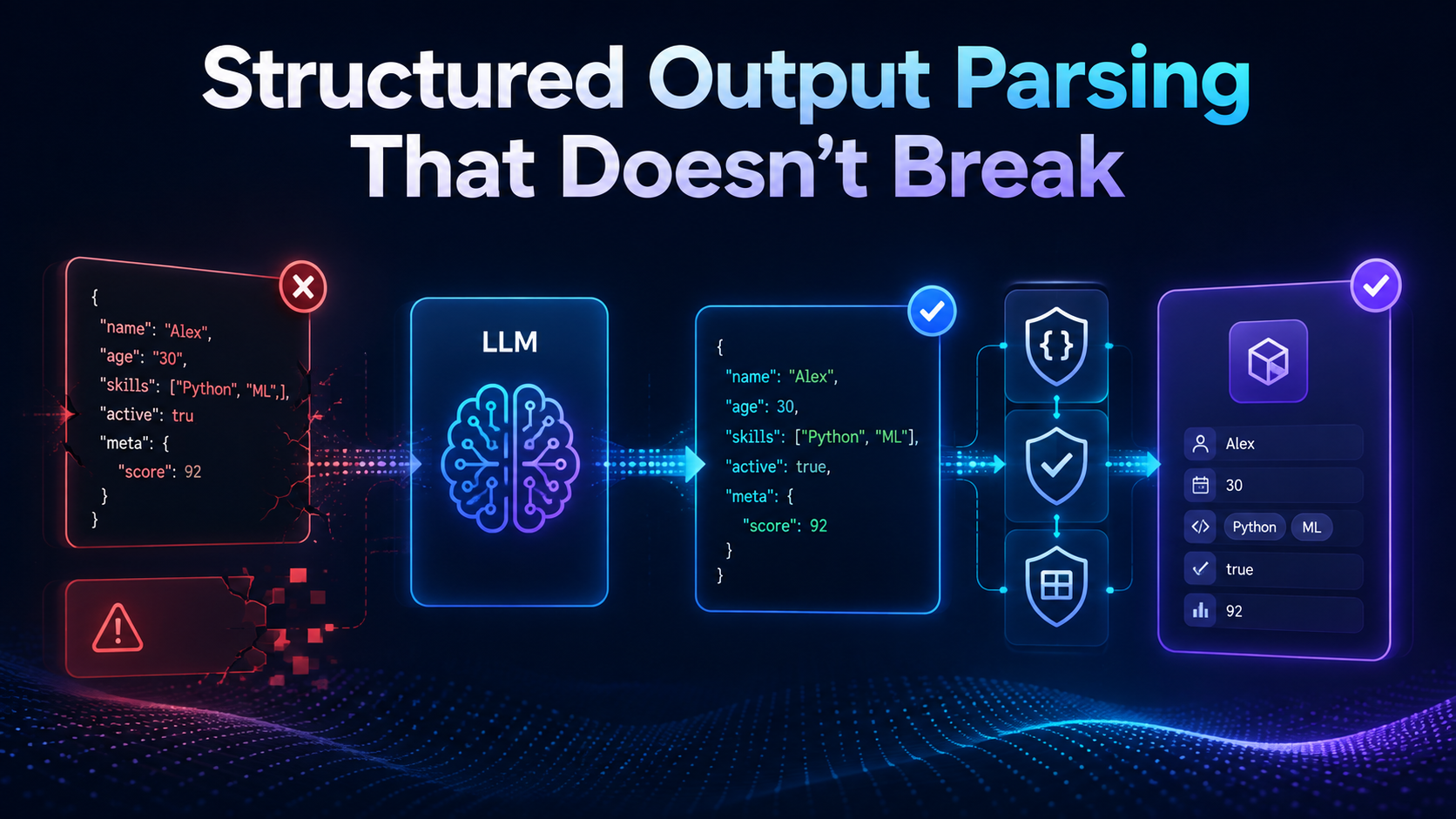
A production LLM structured output pipeline needs more than a prompt saying:
Return valid JSON.
You need a schema, validation, error handling, retry rules, and a clear strategy for incomplete responses and refusals.
In this tutorial, we'll build a safer structured-output flow using Python, Pydantic, and schema-constrained model output.
Why Plain JSON Prompts Break
A common approach looks like this:
prompt = """
Extract the support ticket.

Return JSON with:
- category
- priority
- summary
"""
The response might be:
{
  "category": "billing",
  "priority": "high",
  "summary": "Customer was charged twice."
}
Looks fine.
But another request might return:
Here is the JSON you requested:

{
  "category": "billing",
  "priority": "urgent",
  "summary": "Customer was charged twice."
}
Now you have several problems:
Extra prose before the JSON
An unexpected value such as
urgentMissing fields
Wrong data types
Partial JSON after token truncation
Fields your application never expected
The fix is not a more aggressive regex.
The fix is to treat model output like any other untrusted external input.
Step 1: Define the Contract First
Start with the shape your application needs.
Using Pydantic:
from typing import Literal
from pydantic import BaseModel


class SupportTicket(BaseModel):
    category: Literal[
        "billing",
        "account",
        "technical",
        "other"
    ]

    priority: Literal[
        "low",
        "medium",
        "high"
    ]

    summary: str
    customer_name: str | None
Now your application has a clear contract.
Valid
{
  "category": "billing",
  "priority": "high",
  "summary": "Customer was charged twice.",
  "customer_name": "Alex"
}
Invalid
{
  "category": "payments",
  "priority": "urgent"
}
The schema is now the source of truth—not the prompt.
Step 2: Use Schema-Constrained Output
Install the SDKs:
pip install openai pydantic
Then ask the model to return the Pydantic structure directly:
from openai import OpenAI

client = OpenAI()

response = client.responses.parse(
    model="gpt-5.6",
    input=[
        {
            "role": "system",
            "content": (
                "Extract the support ticket "
                "information from the message."
            ),
        },
        {
            "role": "user",
            "content": (
                "Alex says their card was charged "
                "twice for the same subscription."
            ),
        },
    ],
    text_format=SupportTicket,
)

ticket = response.output_parsed

print(ticket)
The current OpenAI SDK can parse Structured Outputs directly into Pydantic models, reducing the need for manual json.loads() plumbing.
Conceptually:
User Input
    ↓
LLM
    ↓
JSON Schema
    ↓
Structured Output
    ↓
Typed Application Object
Step 3: Do Not Confuse JSON With Valid Data
These are different guarantees:
Valid JSON
≠
Correct Schema
≠
Correct Business Data
For example:
{
  "category": "billing",
  "priority": "high",
  "summary": "Refund requested.",
  "customer_name": null
}
This may perfectly match the schema.
But perhaps your system requires a customer ID before a refund workflow can start.
Schema validation cannot know every business rule.
Use another validation layer:
def validate_ticket(ticket: SupportTicket):
    if (
        ticket.category == "billing"
        and not ticket.summary.strip()
    ):
        raise ValueError(
            "Billing tickets require a summary."
        )
Think in three layers:
Syntax validation
      ↓
Schema validation
      ↓
Business validation
Teams building production-grade LLM workflows can also explore custom generative AI development for output validation, guardrails, model integration, and reliable AI application delivery.
Step 4: Handle Nullable Fields Explicitly
Do not ask the model to invent missing information.
If a customer name may not exist, model that explicitly:
customer_name: str | None
Then:
{
  "customer_name": null
}
is better than:
{
  "customer_name": "Unknown User"
}
unless "Unknown User" has a real meaning in your system.
For current OpenAI Structured Outputs, schema fields are required; optional behavior can be represented using a nullable type.
That creates a useful rule:
Missing information should be represented as missing—not guessed.
Step 5: Handle Refusals Separately
Even when you request structured output, the model may refuse some user inputs.
A refusal should not be treated as malformed JSON.
Current OpenAI responses expose refusals separately because a refusal does not necessarily follow your requested schema.
A simple helper:
def find_refusal(response):
    for output in response.output:
        if output.type != "message":
            continue

        for item in output.content:
            if item.type == "refusal":
                return item.refusal

    return None
Then:
refusal = find_refusal(response)

if refusal:
    print("Request refused:", refusal)
else:
    ticket = response.output_parsed
Do not automatically retry a refusal as though it were a parsing error.
Step 6: Detect Incomplete Responses
Structured output can still fail if generation is interrupted.
For example:
Token limit reached
        ↓
Response stops early
        ↓
Structured object incomplete
OpenAI's documentation explicitly recommends checking for incomplete responses, including cases where the maximum output-token limit was reached.
Use a guard:
if response.status == "incomplete":
    reason = response.incomplete_details.reason

    raise RuntimeError(
        f"Incomplete model response: {reason}"
    )
Never send a half-generated object deeper into your application.
Step 7: Fail Closed When Parsing Fails
Avoid this:
ticket = response.output_parsed or {}
It hides the failure.
Later your code may do:
ticket["priority"]
and fail somewhere completely unrelated.
Instead:
ticket = response.output_parsed

if ticket is None:
    raise ValueError(
        "Model did not return valid structured data."
    )
Failing close to the source makes debugging much easier.
Step 8: Add Controlled Retries
Some failures can be retried.
A simple approach:
def parse_ticket(message, attempts=2):
    last_error = None

    for _ in range(attempts):
        try:
            response = client.responses.parse(
                model="gpt-5.6",
                input=[
                    {
                        "role": "system",
                        "content":
                            "Extract support ticket data.",
                    },
                    {
                        "role": "user",
                        "content": message,
                    },
                ],
                text_format=SupportTicket,
            )

            if response.status == "incomplete":
                raise RuntimeError(
                    "Incomplete response"
                )

            refusal = find_refusal(response)

            if refusal:
                raise PermissionError(refusal)

            if response.output_parsed is None:
                raise ValueError(
                    "Structured parsing failed"
                )

            return response.output_parsed

        except PermissionError:
            raise

        except Exception as exc:
            last_error = exc

    raise RuntimeError(
        "Unable to obtain valid structured output"
    ) from last_error
The important part is not the exact retry count.
It is deciding which failures deserve a retry.
Do not endlessly retry:
Invalid input
Refusals
Business-rule failures
Permanent configuration errors
Retries should be bounded.
Step 9: Avoid Regex-Based JSON Extraction
This pattern is fragile:
import re

match = re.search(r"\{.*\}", output, re.DOTALL)
It may break with:
Nested objects
Braces inside strings
Multiple JSON objects
Markdown
Truncated responses
If your provider supports structured schema output, use it.
If it supports only JSON mode, parse JSON normally and then validate it.
For example:
import json

raw = json.loads(model_output)

ticket = SupportTicket.model_validate(raw)
Or validate JSON directly:
ticket = SupportTicket.model_validate_json(
    model_output
)
Pydantic provides built-in JSON parsing and validation through model_validate_json().
Step 10: Keep Schemas Small
Do not start with a giant structure containing 50 fields.
Instead of:
Customer
 ├── Profile
 ├── Addresses
 ├── Orders
 ├── Refunds
 ├── Preferences
 ├── Marketing
 └── Support History
extract only what the current operation requires.
For example:
class RefundIntent(BaseModel):
    order_id: str | None
    reason: str
    requested: bool
Smaller schemas are easier to:
Understand
Test
Version
Validate
Monitor
Change safely
Step 11: Version Your Output Contract
Eventually your schema will change.
Version 1
{
  "category": "billing",
  "summary": "Duplicate payment"
}
Version 2
Version 2 might add:
{
  "category": "billing",
  "summary": "Duplicate payment",
  "priority": "high"
}
Treat this like an API change.
A practical pattern is:
support_ticket_v1
support_ticket_v2
or include an explicit application-side schema version.
Do not silently change a structure that other services already depend on.
Step 12: Test With Bad Inputs
Do not test only perfect prompts.
Try cases like:
Empty input
Very long input
Missing information
Conflicting information
Multiple entities
Unexpected languages
Prompt injection attempts
Ambiguous dates
Malformed IDs
Then verify:
Did the schema hold?
Did missing values become null?
Was a refusal handled?
Did business validation catch problems?
Did retries stop correctly?
Structured output should be tested like an API boundary.
For applications that process large volumes of unstructured text, NLP-powered automation solutions can help structure, validate, and integrate model-generated data into downstream workflows.
A Production-Safe Parsing Flow
A reliable LLM structured output pipeline looks like this:
User Input
    ↓
Schema-Constrained Generation
    ↓
Response Complete?
   / \
 No   Yes
 ↓     ↓
Fail  Refusal?
        / \
      Yes  No
       ↓    ↓
    Handle  Parse
              ↓
       Schema Validation
              ↓
       Business Validation
              ↓
         Trusted Object
Only the final object should enter the rest of your application.
Common Structured Output Mistakes
Avoid these patterns:
Asking for JSON only through prompt wording
Using regex to extract objects
Trusting valid JSON without schema validation
Allowing unknown enum values
Forcing the model to invent missing data
Ignoring truncated responses
Retrying refusals indefinitely
Swallowing parsing errors
Using enormous schemas
Changing output contracts without versioning
The goal is not simply to make the model output JSON.
The goal is to make the application behavior predictable when the model does something unexpected.
Final Thoughts
Reliable structured output comes from treating the LLM like an external service, not a trusted function.
Use a real schema. Validate the response. Represent missing information explicitly. Detect incomplete output and refusals. Add business validation after parsing, and retry only when the failure is actually recoverable.
A strong LLM structured output flow therefore looks like:
Generate
   ↓
Constrain
   ↓
Validate
   ↓
Handle Failure
   ↓
Use Data
Once you build that boundary correctly, downstream application code becomes much simpler because it no longer has to guess what shape the model decided to return.