Migrating REST to GraphQL Incrementally
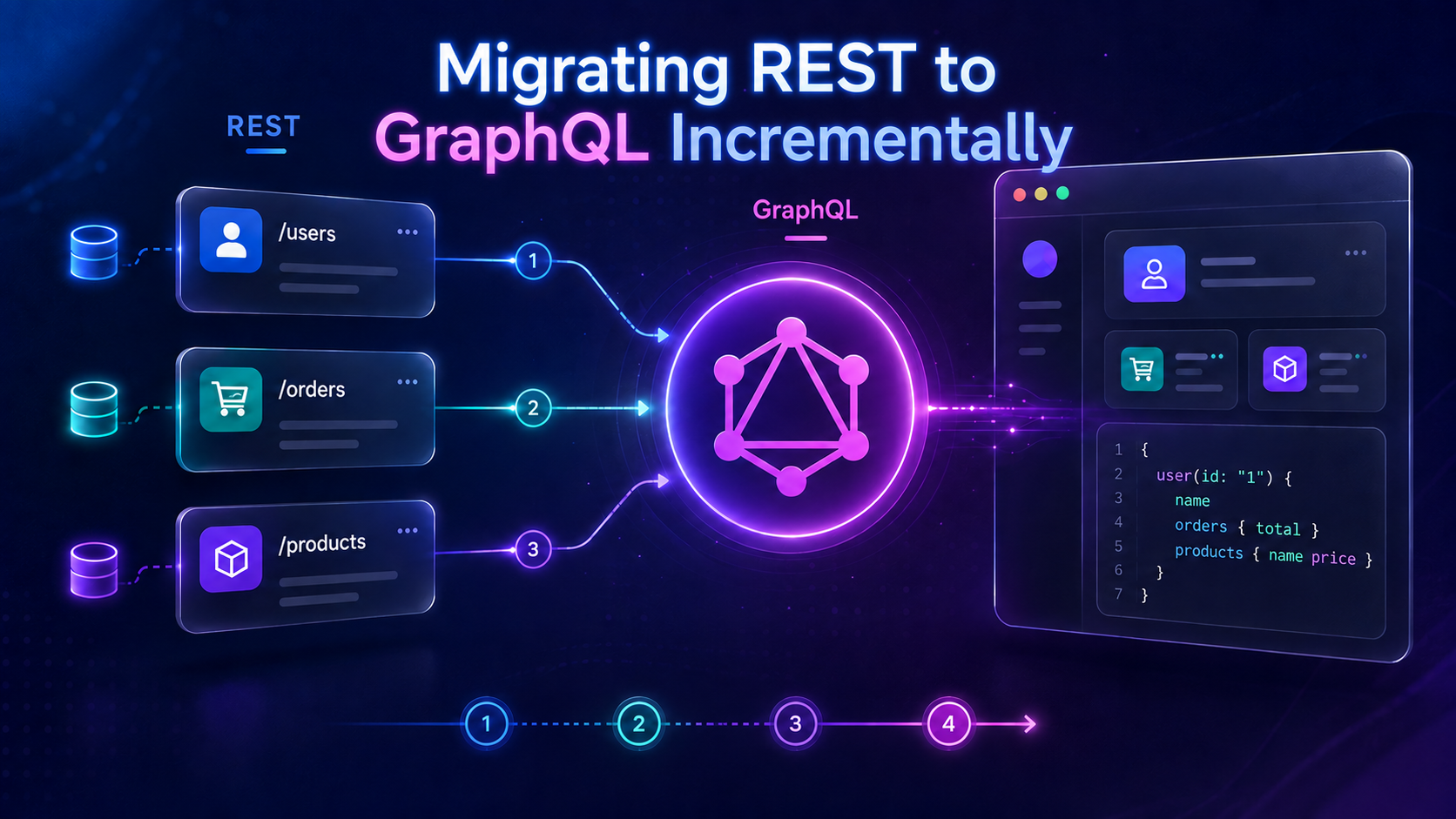
Migrating from REST to GraphQL does not mean you need to rewrite your entire API at once.
A safer REST to GraphQL migration is to introduce GraphQL gradually, keep existing REST services running, and move one feature at a time.
This approach reduces production risk and gives teams enough time to test performance, authentication, caching, and client behavior.
Why Migrate Incrementally?
A full REST replacement can affect:
Backend services
Frontend applications
Authentication
Caching
Monitoring
Third-party integrations
Instead of changing everything together, migrate in small steps.
For example:
User Profile → Orders → Products → Mutations → Remaining APIs
Each phase can be tested and rolled back independently.
Step 1: Review Existing REST APIs
Start by identifying the endpoints your application actually uses.
Example:
GET /users/:id
GET /users/:id/orders
POST /orders
Choose a simple and low-risk endpoint first.
A read-only feature such as a user profile is usually better than starting with payments or other critical transactions.
Step 2: Design the GraphQL Schema
Avoid copying REST endpoints directly into GraphQL.
Instead of:
type Query {
  getUser(id: ID!): User
  getUserOrders(id: ID!): [Order]
}
Use relationships:
type User {
  id: ID!
  name: String!
  email: String!
  orders: [Order!]!
}

type Order {
  id: ID!
  total: Float!
  status: String!
}

type Query {
  user(id: ID!): User
}
Now the frontend works with business objects instead of individual endpoints.
Step 3: Add GraphQL Over Existing REST
You do not need to remove REST immediately.
GraphQL can act as a layer in front of your current APIs.
Frontend
   |
GraphQL API
   |
Existing REST APIs
For example, a resolver can call the current REST endpoint:
const resolvers = {
  Query: {
    user: async (_, { id }) => {
      const response = await fetch(
        `https://api.example.com/users/${id}`
      );

      return response.json();
    },
  },
};
Your existing backend continues working while clients slowly move to GraphQL.
For larger modernization projects, professional custom API development and integration can help teams design, secure, and gradually migrate REST APIs to GraphQL.
Step 4: Migrate One Frontend Feature
Suppose your application currently makes two REST calls:
GET /users/42
GET /users/42/orders
With GraphQL, the client can request both together:
query GetUser {
  user(id: "42") {
    id
    name
    email
    orders {
      id
      total
      status
    }
  }
}
Start by migrating only one page or workflow.
Other parts of the application can continue using REST.
For applications that require scalable frontend and backend integration, modern web development can combine GraphQL, REST APIs, and application architecture within the same development stack.
Step 5: Use Feature Flags
Feature flags make migrations easier to control.
if (features.useGraphQL) {
  return loadWithGraphQL();
}

return loadWithREST();
You can gradually enable GraphQL for:
Internal users
↓
Beta users
↓
25% traffic
↓
50% traffic
↓
100% traffic
If something goes wrong, switch back to REST quickly.
Step 6: Compare REST and GraphQL Results
Before fully switching traffic, compare both implementations.
Check for:
Missing fields
Incorrect values
Permission differences
Null handling
Pagination issues
Error differences
This is especially useful for read operations.
Avoid sending the same write through both REST and GraphQL because it may create duplicate records.
Step 7: Keep Authentication Consistent
If REST currently uses:
Authorization: Bearer <token>
the GraphQL layer should forward the same identity to downstream services.
During early migration, keeping existing authorization rules reduces unnecessary risk.
You can redesign authorization later once the GraphQL layer is stable.
Step 8: Watch for the N+1 Problem
GraphQL can accidentally create too many backend requests.
For example:
query {
  users {
    name
    orders {
      id
    }
  }
}
If you have 100 users, a poorly designed resolver might make 100 separate requests for orders.
Use techniques such as:
Request batching
Caching
DataLoader
Batch REST endpoints
Always measure downstream traffic, not just frontend requests.
Step 9: Monitor the Migration
Track important metrics such as:
GraphQL error rate
REST traffic
API latency
Payload size
Backend request count
Cache performance
Client failures
Do not assume GraphQL is faster just because the browser makes fewer HTTP requests.
Measure the complete request path.
Step 10: Migrate Mutations Later
Once GraphQL reads are stable, start migrating write operations.
For example:
mutation CreateOrder($input: CreateOrderInput!) {
  createOrder(input: $input) {
    id
    status
  }
}
Initially, GraphQL can still call:
POST /orders
Later, the resolver can connect directly to the service layer.
The client does not need to know when the internal implementation changes.
Step 11: Deprecate REST Gradually
Do not remove REST endpoints immediately.
Monitor usage first.
Example:
Week 1 → 100,000 REST requests
Week 2 → 45,000
Week 3 → 8,000
Week 4 → 0
Confirm that all web apps, mobile apps, internal tools, and integrations have migrated.
Only then remove the endpoint.
Recommended Migration Flow
A practical REST to GraphQL migration looks like this:
Review REST APIs
      ↓
Choose one feature
      ↓
Design GraphQL schema
      ↓
Connect GraphQL to REST
      ↓
Migrate one client
      ↓
Test and monitor
      ↓
Optimize performance
      ↓
Migrate more features
      ↓
Deprecate unused REST APIs
Common Mistakes to Avoid
Avoid these common problems:
Rewriting the complete backend first
Copying REST endpoints directly into GraphQL
Migrating every frontend screen together
Ignoring N+1 requests
Changing authentication during the migration
Removing REST without checking traffic
Assuming GraphQL is automatically faster
Keep each migration step small and measurable.
Final Thoughts
A successful REST to GraphQL migration is not about replacing REST as quickly as possible.
Start with one useful GraphQL feature, keep existing REST services running, test the result, monitor production traffic, and gradually expand.
GraphQL can first work as a layer over REST and later connect directly to backend services.
This approach gives you the benefits of GraphQL without turning API modernization into a risky full-system rewrite.