Practical Feature Flags for Safe Continuous Deployment
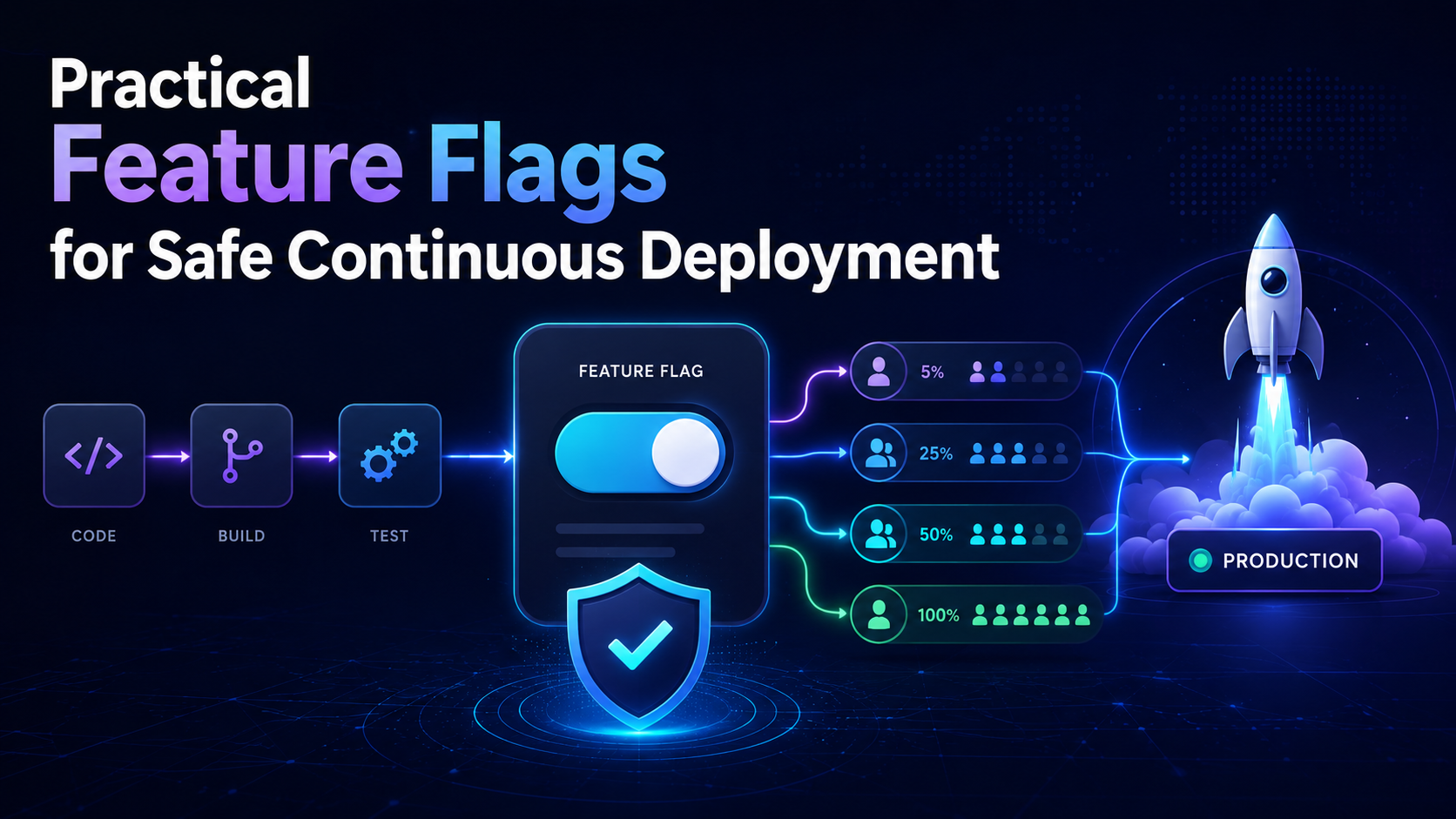
Continuous deployment helps teams release software faster, but pushing every new feature to all users at once can be risky.
Feature flags reduce that risk by separating deployment from release. You can deploy code to production, keep the feature turned off, enable it for a small audience, monitor real-world behavior, and expand the rollout gradually.
That makes feature flags deployment a practical way to reduce release risk without slowing down software delivery.
What Is a Feature Flag?
A feature flag controls whether a feature is enabled or disabled at runtime.
Instead of calling a new feature directly:
showNewCheckout();
you can place it behind a feature flag:
if (newCheckoutEnabled) {
  showNewCheckout();
} else {
  showCurrentCheckout();
}
The release process then becomes:
Deploy Code
    ↓
Feature OFF
    ↓
Enable for Small Group
    ↓
Monitor
    ↓
Increase Rollout
    ↓
Release to Everyone
This gives teams more control over how and when users receive new functionality.
Step 1: Add a Feature Flag
For this example, we can use OpenFeature, an open standard for feature flagging.
Install the SDK:
npm install @openfeature/server-sdk
Then evaluate the feature flag in your application:
const enabled =
  await featureFlags.getBooleanValue(
    "new-checkout",
    false
  );

if (enabled) {
  return renderNewCheckout();
}

return renderCurrentCheckout();
The false value acts as a safe fallback if the feature flag cannot be evaluated.
This means the application continues using the existing checkout experience instead of exposing an unfinished or potentially risky feature.
Step 2: Deploy Before Releasing
One of the biggest advantages of feature flags is the ability to deploy code without immediately releasing the feature.
Deploy the new application version while keeping the flag disabled:
New Version
    ↓
Deploy to Production
    ↓
Feature Flag = OFF
    ↓
Existing Experience Continues
The new code is now running in production, but users still see the existing experience.
This approach is especially useful when releasing modern cloud applications, where teams may want to validate production stability before exposing a new capability to all users.
Step 3: Enable the Feature for Selected Users
Instead of enabling a feature for everyone at once, start with a controlled group.
For example:
Internal team members
Beta users
Selected customer accounts
Specific regions
Particular subscription plans
You can also provide evaluation context to the feature flag system:
const context = {
  targetingKey: user.id,
  region: user.region,
  plan: user.plan,
};
The flag provider can then use this information to determine which users should receive the new feature.
For example, you could release a feature only to internal employees or premium customers before making it generally available.
Step 4: Use Progressive Rollouts
Once internal testing is successful, increase exposure gradually.
A rollout could look like this:
Internal Users
      ↓
      5%
      ↓
     10%
      ↓
     25%
      ↓
     50%
      ↓
    100%
A practical rollout plan might be:
| Stage | Traffic |
|---|---|
| Internal Testing | Employees |
| Canary | 5% |
| Early Rollout | 10% |
| Wider Rollout | 25–50% |
| General Release | 100% |
This approach makes it easier to detect problems before they affect every user.
If an issue appears when only 5% of traffic is using the feature, the impact is much smaller than discovering the same issue after a full release.
Step 5: Monitor the Rollout
Do not increase the rollout percentage without checking production metrics.
Important metrics may include:
Error rate
Response time
CPU usage
Memory usage
Database load
Failed transactions
Conversion rate
User engagement
For example:
Feature Rollout: 10%

Error Rate
Before: 0.3%
After:  0.4%

Latency
Before: 220 ms
After:  235 ms
If the system remains healthy, continue increasing the rollout.
If error rates, latency, failed transactions, or other important metrics increase significantly, disable the feature flag and investigate the problem.
This is one of the main benefits of progressive delivery: teams can react without performing another deployment.
Step 6: Use Flags as Kill Switches
Feature flags can also work as operational kill switches for risky integrations or services.
For example:
const paymentsEnabled =
  await featureFlags.getBooleanValue(
    "payments-enabled",
    true
  );

if (!paymentsEnabled) {
  return showMaintenanceMessage();
}

return processPayment();
If the payment service becomes unstable, the feature can be disabled without rebuilding or redeploying the application.
Kill switches can be useful for:
External APIs
Background jobs
Payment systems
Expensive features
Experimental services
Third-party integrations
This can reduce recovery time during production incidents.
Step 7: Connect Flags to Monitoring
A good feature flag system should help teams answer questions such as:
Which variation did the user receive?

When was the flag changed?

Did errors increase after rollout?

What percentage of users currently has the feature enabled?
Feature flags become far more valuable when connected to logging, monitoring, and observability tools.
For example, application logs can record which flag variation a user received when an error occurred.
This helps teams determine whether a production issue started after a rollout change.
A useful event might contain information such as:
User: 48291
Feature: new-checkout
Variation: enabled
Rollout: 25%
Timestamp: 14:32 UTC
When rollout data and application telemetry are connected, troubleshooting becomes much faster.
Step 8: Remove Old Flags
Temporary feature flags should not remain in the application forever.
After a feature reaches 100% rollout and remains stable, remove the flag and the unused code.
A simple cleanup process looks like this:
100% Rollout
     ↓
Monitor Stability
     ↓
Remove Old Code
     ↓
Remove Flag
For example, avoid keeping logic like this permanently:
if (newCheckout) {
  newCheckoutFlow();
} else {
  oldCheckoutFlow();
}
Once the old checkout flow is no longer required, remove both the feature flag and the unused code.
Otherwise, large numbers of old flags can make the application difficult to understand and maintain.
Feature flag cleanup should therefore be part of the release process.
Recommended Feature Flag Deployment Flow
A practical feature flag deployment process looks like this:
Build Feature
     ↓
Add Feature Flag
     ↓
Deploy with Flag OFF
     ↓
Enable Internally
     ↓
Roll Out to 5%
     ↓
Monitor
     ↓
25% → 50% → 100%
     ↓
Monitor Stability
     ↓
Remove Temporary Flag
This approach gives teams several opportunities to stop or reverse a release before it affects the entire user base.
Common Mistakes to Avoid
Feature flags are useful, but poor implementation can create new problems.
Avoid these common mistakes:
Enabling a feature for everyone immediately
Using unsafe fallback values
Rolling out without monitoring
Giving too many people permission to change production flags
Keeping temporary flags forever
Creating deeply nested flag logic
Using flags without documenting ownership
Changing rollout percentages without tracking the change
Treating feature flags as a replacement for testing
Feature flags reduce deployment risk, but they should work alongside automated testing, CI/CD controls, monitoring, and observability.
They are an additional release-control mechanism, not a substitute for good engineering practices.
Feature Flags vs Traditional Deployment
Traditional releases often connect deployment and release together:
Deploy New Version
      ↓
Everyone Gets Feature
Feature flags separate those activities:
Deploy New Version
      ↓
Feature Disabled
      ↓
Controlled Release
      ↓
Monitor
      ↓
Increase Exposure
That separation makes production releases easier to control and reverse.
If something goes wrong, teams may be able to disable the feature immediately rather than rolling back the entire application.
A disciplined software development process should combine feature flags with automated testing, CI/CD controls, monitoring, and clear release ownership.
Final Thoughts
A strong feature flags deployment strategy separates shipping code from releasing features.
Deploy the code first, keep the new feature disabled, enable it for a small audience, monitor real production behavior, and increase exposure gradually.
The most effective feature flag systems include safe defaults, targeted releases, progressive rollouts, kill switches, monitoring, access controls, and regular cleanup.
Feature flags do not remove deployment risk completely, but they give engineering teams much better control over how that risk reaches users.